

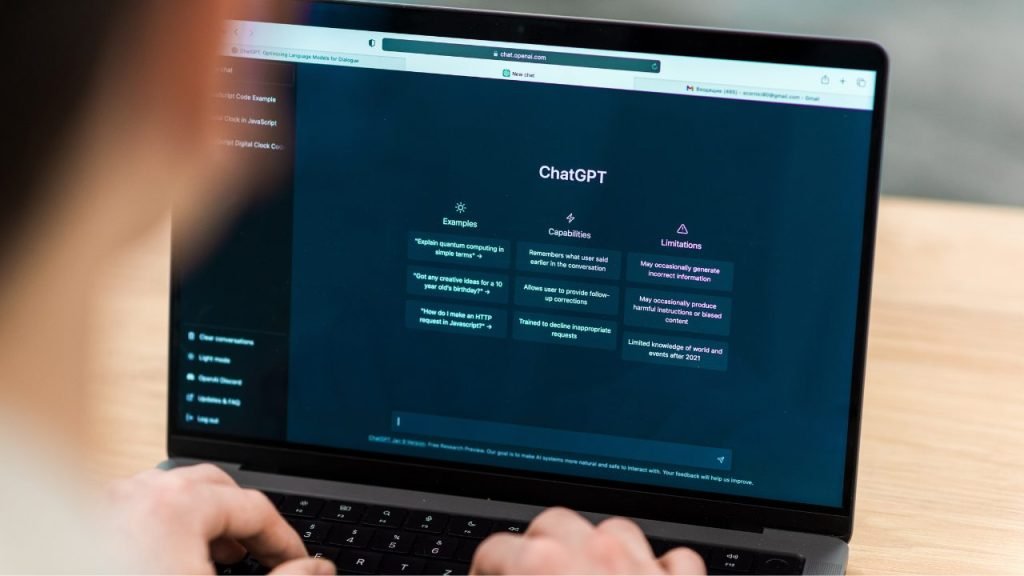
OpenAI just made ChatGPT search a lot better. The update rolled out on June 13, 2025, but you might not have noticed – the company didn’t make a big deal about it.
The changes focus on two main areas: better conversation handling and smarter search features.
Here’s what actually changed and why it matters for the millions of people using ChatGPT every day.
What’s New in ChatGPT Search (June 13)
OpenAI keeps their update notes pretty brief. But the changes are significant if you use ChatGPT for research or complex questions.
Smarter Responses
The biggest improvement is how ChatGPT understands what you’re asking. Before this update, you might have gotten repetitive answers or responses that missed the point. Now it’s better at:
- Understanding complex questions on the first try
- Giving more complete answers
- Remembering what you talked about earlier in the conversation
This matters because ChatGPT now handles over 1 billion queries every day. That’s a lot of people who just got a better experience.
Multiple Searches for Complex Questions
Here’s where it gets interesting. ChatGPT can now run several searches behind the scenes to answer one difficult question.
Let’s say you ask: “Compare the environmental impact of electric cars versus gas cars, including manufacturing costs and battery disposal.”
Instead of giving you a surface-level answer, ChatGPT might:
- Search for electric car manufacturing data
- Look up gas car emissions research
- Find information about battery recycling
- Check recent studies on lifecycle analysis
You won’t see all these searches happening. You’ll just get a better, more thorough answer.
Image-Based Search
You can now upload an image and ask ChatGPT to search the web based on what it sees. This opens up new ways to get information – like identifying plants, finding similar products, or getting context about a photo.
Latest Updates: Recording and Pro Features
ChatGPT Record Mode (June 18)
OpenAI just launched a game-changing feature for Pro, Enterprise, and Edu users – ChatGPT Record. You can now capture meetings, brainstorms, or voice notes directly in ChatGPT.
Here’s what it does:
- Records and transcribes conversations automatically
- Creates summaries and action items
- Can even generate code from your discussions
- Currently only available on the macOS desktop app
This is huge for teams and professionals who spend hours in meetings. Instead of taking notes, you can focus on the conversation and let ChatGPT handle the rest.
Enhanced Pro Features (June 24)
Pro users got two more upgrades this week:
Chat Search Connectors: You can now use chat search with your business tools like Dropbox, Box, Google Drive, Microsoft OneDrive, and SharePoint. This means ChatGPT can search through your actual work files, not just the web.
More Project Files: Projects can now handle 40 uploaded files instead of 20. If you’re working on complex research or large projects, this gives you more room to work.
These features aren’t available in the EU, Switzerland, or UK yet due to regulatory requirements.
The Numbers Behind ChatGPT’s Rapid Growth
ChatGPT’s search feature is getting serious use. Recent data shows:
- 800 million weekly active users as of June 2025
- 5.24 billion daily visits to the ChatGPT website (Source: SEMrush)
- 60.60% (excluding Copilot) market share in the AI search space
Compare that to when ChatGPT first launched search in late 2024. The growth has been massive, and it’s eating into Google’s territory.
How It Compares to Google
Google still dominates search with decades of data and infrastructure. But ChatGPT offers something different – conversational search that remembers context.
With Google, you might search:
- “Best laptops 2025”
- “MacBook Pro vs Dell XPS”
- “Laptop battery life comparison”
With ChatGPT, you can have one conversation: “I need a laptop for video editing. Budget is $2000. What are my best options and how do they compare for battery life?”
Then follow up with: “What about for coding instead of video editing?”
ChatGPT remembers you mentioned the $2000 budget and adjusts its recommendations accordingly.
What Users Are Saying About Recent Updates

The response has been mixed but mostly positive across all the recent updates. Some users report:
Search Updates:
- Longer response times – ChatGPT is thinking more, which takes time
- More detailed answers – sometimes too detailed for simple questions
- Better accuracy – fewer wrong answers and hallucinations
Record Mode:
- Huge time saver for meeting notes and follow-ups
- macOS only limitation frustrates Windows and mobile users
- Privacy concerns about recording conversations
Pro Features:
- Better workflow integration with business file search
- More project capacity helps with complex research
But there are downsides. The “chain of thought” reasoning sometimes shows up when you don’t want it. You might see ChatGPT explaining its thinking process instead of just giving you the answer.
The Business Impact
OpenAI is clearly going after Google’s search business. The numbers support this strategy:
- ChatGPT processes over 1 billion queries daily
- The platform had 5.24 billion visits in May 2025
- OpenAI expects $11-12 billion in revenue by end of 2025
Google’s CEO Sundar Pichai has downplayed the threat, but Alphabet’s stock dropped when ChatGPT search first launched. The competition is real.
Technical Details
The update uses OpenAI’s GPT-4o model, fine-tuned specifically for search. It combines:
- Third-party search providers (including Bing)
- Direct partnerships with news organizations
- Real-time data feeds for stocks, weather, and sports
The system can now handle much longer conversations without losing track of what you’re discussing. Before, you might have needed to repeat context after a few exchanges.
What’s Coming Next
OpenAI plans to keep improving search, especially for:
- Shopping recommendations
- Travel planning
- Deep research using their o1 reasoning models
They’re also working on bringing search to voice mode and expanding access to free users.
Record Mode expansion is likely coming to other platforms beyond macOS, and more connector integrations for business users are in the pipeline.
Industry Reaction
The search industry is watching closely. Perplexity AI, another search startup, raised $1 billion partly based on the promise of conversational search. Now OpenAI is making similar capabilities mainstream.
Traditional SEO and content marketing are also adapting. When search becomes conversational, the rules change for how websites get discovered.
Should You Upgrade or Switch?
It depends on what you’re looking for. Use ChatGPT search when:
- You want conversational back-and-forth
- You’re researching complex topics
- You need summaries of multiple sources
Consider ChatGPT Pro if:
- You’re in meetings frequently (Record mode is a game-changer)
- You work with lots of business files and need integrated search
- You’re doing complex research projects with many documents
Stick with Google for:
- Quick factual lookups
- Local business information
- Shopping with specific requirements
Many users are now using both, depending on the situation. The June updates make ChatGPT much more useful for professional work, not just casual questions.
Looking to optimize your content for AI search?
As search evolves toward conversational AI, businesses need new strategies to stay visible. Our SEO specialists at Freelancers Hub can help you adapt your content strategy for both traditional and AI-powered search engines. The search behavior is changing fast – make sure you’re ready.